Turn Your Photo Into the Bicep Heart Video Everyone's Posting
Upload one photo. Get a ready-to-post TikTok video of you doing the viral bicep-heart pose — no filming, no editing skills.
Video Gallery
See What You'll Get
Explore bicep-heart pose references from around the web, from portrait videos to a playful pet version.
What Is the Bicep Heart Pose?
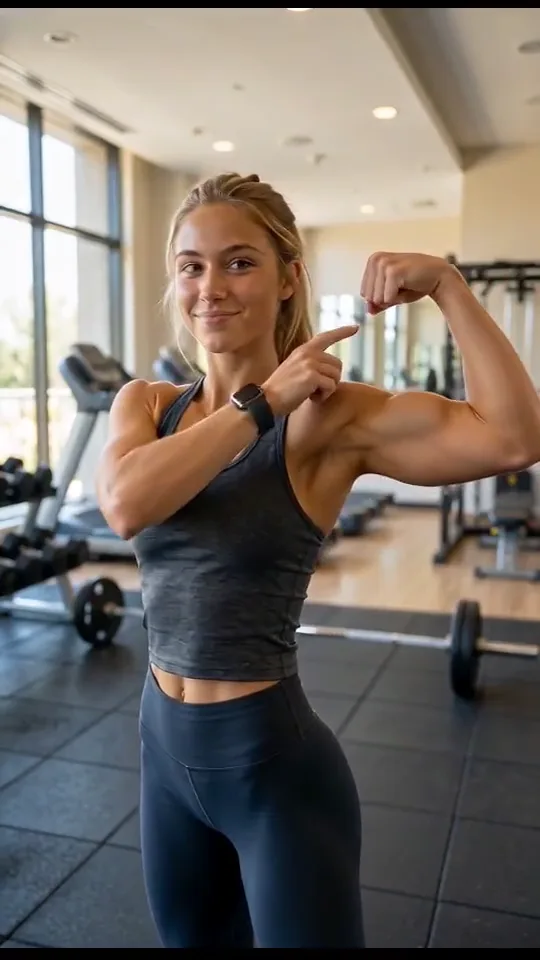
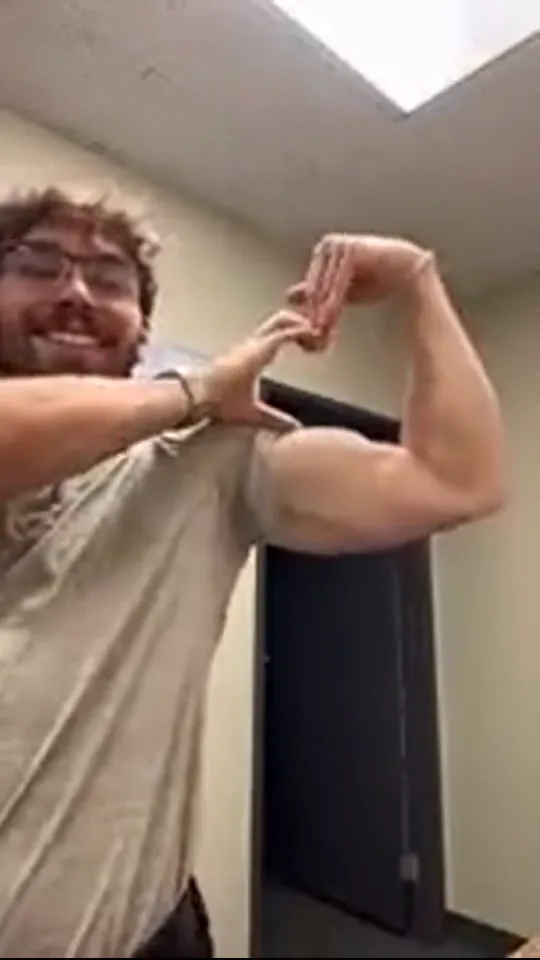
It's the pose taking over TikTok: you flex one arm, curl your other hand inside it, and together they make a heart. Cute, a little funny, and instantly recognizable. Now you can make your own version from a single photo — the AI recreates the pose with natural motion and keeps your face and outfit exactly the same.
No shoot, no editing, no second takes. Upload a photo, pick a look, and get a video ready for TikTok, Reels, or Shorts. Want a different background or style? Change it on the spot — no need to start over.
From One Photo to a Trend Video
What You Can Make with Bicep Heart
Upload a photo or describe the pose. Bicep Heart AI recreates the motion, cleans up the look, and hands you a video you can post right away.
From One Photo to a Trend Video
Upload a photo or describe the pose. Bicep Heart AI recreates the motion, cleans up the look, and hands you a video you can post right away.

How It Works
Three Steps — No Shoot Required


Pick a clear photo of yourself, a friend, your partner, or your pet. That's your starting point.
By the Numbers
Creators Are Already Doing It
Join the people making their own Bicep Heart videos — no camera, no crew, no stress.
Bicep Heart videos made
Creators joining in
Try it free
Why Bicep Heart AI
Why Make It with Bicep Heart AI
Most AI video tools make pose trends look off. Bicep Heart AI gets the pose right and keeps you looking like you.
Bicep Heart AI vs. General AI Video Tools
See how the pose, edits, and camera control compare.
| Criteria | Bicep Heart AI | General AI Video Tools |
|---|---|---|
| Pose accuracy | The bicep-heart pose comes out right — hand placement and arm angle stay consistent. | Hands drift and arm angles change between cuts. |
| Editing | Swap the background or style on the spot — no full redo. | Even small changes mean re-rendering the whole clip. |
| Trend handling | Built for the Bicep Heart trend. Tell it what to remove and it's gone. | Trend poses come out inconsistent, and instructions get ignored. |
| Camera control | Lock the pose, adjust lighting, shoot from the angle you want. | Hard to lock the shot; motion breaks easily. |
What Creators Say
Real reviews from people who made their own Bicep Heart video
FAQ
Questions Before You Make Yours
Can I make a Bicep Heart video from my photo?
Yes — upload one photo and get a bicep-heart video with your face and outfit kept the same.
Can I try it for free?
Yes. Sign up to get free credits and make your first video. No card needed. If you want to make more, you can choose a paid plan.
Can I use text or a photo?
Either works. Upload a photo to animate it, or describe what you want in a prompt. You can also add references to guide the look and motion.
How is this different from other AI video tools?
Bicep Heart AI is built for the bicep-heart pose. It keeps your face and outfit consistent, gives you natural motion, and lets you change the background or style without starting over.
How much does it cost?
You can start with free credits. Paid plans start at $19.80 per month, with more credits and features as you move up. Compare Basic, Pro, and Max below.
Is there a limit on how many videos I can make?
It depends on your credit balance and the settings you choose. You can see the credit cost before you generate, so you know what each video will use.
What resolutions and lengths can I get?
You can make one-take videos up to 30 seconds in 480p or 720p. MP4 and MOV output are available, with 1080p and 4K planned for the future.
Are my photos and data private?
Yes. Your photos and videos stay private in your account, and we do not use them to train models. You can read the Privacy Policy for the details.
How do I cancel?
Go to your billing page and choose “Manage subscription.” Cancel in the Stripe portal to stop your next renewal. Your current billing period stays active until it ends.
How do I get a refund?
Check the refund policy in our Terms of Service, then send your request to support@bicep-heart.app.
What if I run out of credits?
You can buy a credit pack or choose a plan with more credits. Check your balance before generating to see how much you have left.
How do I get a better-looking video?
Start with a clear, well-lit photo. Describe the hand placement and arm angle, keep the prompt focused, and try a few versions to find your favorite.
Simple Pricing — Try It First
Free credits to make your first Bicep Heart video. No card needed to start, and you can use it commercially.
Secure Payments
Pay with Korean cards, Kakao Pay, Samsung Pay, Naver Pay, Visa, Mastercard, Amex, JCB, Apple Pay, Google Pay, and more.
Korean Payments


Global Payments


Secure Stripe checkout · SSL encryption · PCI DSS compliant · 256-bit encryption
Payment Support: support@bicep-heart.app
You Already Know Who's Going in Your Video
Upload their photo — or yours — and make your Bicep Heart video now. Free credits to start, no card required.
Featured on